Building VoIP telephony and a Plugin-Based IVR at home with Yate
Recently I had an idea to implement my own telephony setup within my home lab. Sounds weird, but I really wanted my own VoIP stack. Besides, I had 2-3 old phones lying around that I could “revive” and turn into portable handsets that work across the house.
And so my research began! At first I found PBX software like Asterisk, but it wasn’t the easiest option for me. Ironically, my server runs Windows (for compatibility with some legacy software), despite using Arch on my main machine. After more digging, I stumbled upon Yate. Open-source, cross-platform, and — at least on paper — easy to set up. Let’s see how that actually went.
What is Yate?
Yate (Yet Another Telephony Engine) is an open-source telephony engine — think Asterisk, but built around a different core idea: everything in Yate is a message. Incoming calls, DTMF digits, hangups, routing decisions — all of it flows through Yate’s internal message dispatcher, and any module (built-in or external) can install a handler for the message types it cares about.
That message-passing design is what makes Yate interesting for a project like this. Yate exposes its internal message bus over a plain TCP socket via the extmodule interface — connect, send and receive newline-delimited protocol lines, and you’re participating in Yate’s routing decisions from outside the engine entirely, in any language that can open a socket. No SDK, no compiled plugin ABI to match against Yate’s own build. Yate also ships a tone generator, a wavefile player, and SIP support out of the box, which covers most of what an IVR actually needs at the media layer — the only thing left to build is the call logic itself.
This is also a project with a frustrating documentation story. Yate’s protocol is functional but sparsely documented, and a fair amount of what’s in this post came from forum threads going back to 2011–2013 rather than from an official reference. If you’re attempting something similar, budget time for that.
Setting up Yate
After installation I found out it relies on configuration files for everything. And with sparse documentation alongside 2013-era forum posts, it was genuinely painful to set up and get working properly. After some hours I finally got calls flowing between devices. Then I spent another day or two fumbling around with other configs trying out various things.
So I made this section to get you from a fresh Yate install to a working extension that answers calls and plays a wav file.
Install and verify
Install Yate (specify Full Installation, and on the last page, check the Start service checkbox) and locate the installation (C:\Program Files (x86)\Yate). Confirm the Windows service is running before touching config.
Clear out the conf.d directory entirely — the default sample configs are useless for now, and it’s easier to start from nothing than to figure out which defaults to override.
Now open your favorite text editor (or even Notepad) with Admin rights and create the following files in the conf.d folder.
Register extensions — regfile.conf
This file defines the SIP accounts Yate will accept registrations for. Each section header is the extension number, with a password:
[101]
password=secondpassword

[102]
password=mysecretpassword
Routing — regexroute.conf
This is Yate’s dialplan — regex rules that decide what happens to a call based on the dialed number.
[general]
preroute=100
route=100

[contexts]
.*=default

[default]
${called}^sip:\(.*\)@.*=return;called=\1
${called}^\(.*\)@.*=return;called=\1
^[0-9]{3}$=lateroute/\0
The first two rules strip a SIP URI down to just the dialed number if one shows up in that form. The third is the one doing the real work: any 3-digit number gets sent to lateroute, which defers the actual routing decision — this is what hands the call off to whatever’s listening for call.route on the extmodule socket, rather than Yate trying to resolve it internally.
Restart the Yate service after writing both files. At this point, two SIP accounts (101, 102) can register and call each other directly through Yate — no IVR involved yet. Worth confirming this works on its own (register two soft phones, e.g. MicroSIP, and call between them) before adding the extmodule layer, so you know any problems after this point are in your own code, not the base Yate setup.
Opening the door for external code — extmodule.conf
[listener tcp]
type=tcp
addr=127.0.0.1
port=5040
role=global
This tells Yate to listen on port 5040 for extmodule connections — the protocol my IVR core speaks. addr=127.0.0.1 is correct if the IVR core runs on the same machine as Yate, which is the simplest setup and what this post assumes throughout.
Running the core on a different machine?
127.0.0.1will refuse any connection that isn’t from localhost — including ones forwarded in from elsewhere by a port-proxy tool, since Yate’s extmodule listener binds to the loopback interface only and won’t accept traffic arriving on any other interface. The fix is to changeaddrto0.0.0.0so Yate binds on all interfaces directly. Be aware of what this opens up: the extmodule interface has no authentication, so anything that can reach the port can drive your IVR’s call handling.
Restart the service again. With this in place, anything that connects to 127.0.0.1:5040 and speaks Yate’s extmodule protocol becomes part of the call routing pipeline.
First contact
The extmodule protocol is line-based, %%-prefixed messages. A minimal client does three things: sets up, installs a handler for call.route, and replies to whatever comes in.
%%>setlocal:restart:false
%%>install:15:call.route
When a call comes in for an extension you want to handle, Yate sends you a call.route message with the dialed number in a called param. Reply true with a destination to route the call to — e.g. a wav file:
%%<message:<msg_id>:true::wave/play/C%z/path/to/file.wav:autoanswer=yesThe %z there isn’t decorative — Yate’s protocol uses : as a field separator, so a literal colon inside your path (the C: drive letter) needs escaping or the parser will truncate your string at the first colon it finds. This one cost real debugging time before the cause was obvious from the protocol traffic.
At this point: launch your client, dial the extension from a registered soft phone, and you should hear the wav file play. That’s the whole foundation — everything from here is building actual call logic on top of it.
A core for building IVR bots
Once the extmodule connection is working, the natural next step is: build one bot. Hardcode the extension check, hardcode the menu, write the DTMF handling inline. That’s a perfectly reasonable afternoon project — and exactly where this one started. I used Python and made a simple bot that fetches weather from an API and uses edge-tts to generate a wav file, then ffmpeg to downsample it to 8kHz (required by Yate) and masquerades the call to the file.
The problem shows up the moment you want a second bot. A single script with one socket connection, one hardcoded extension check, and fixed output filenames has no seam for plurality — adding a second bot doesn’t mean writing more code, it means reworking code that was never written to have more than one identity living inside it. After about a week of testing various things, I found out the following: you can only have one socket connected to Yate’s extmodule interface at a time. If ivr1.py connects and then ivr2.py does the same, only ivr1.py will keep receiving routing commands from Yate — the second script won’t. I considered writing one script that handled both bots, but that would get messy fast. And my systems-engineering instincts suddenly gave me an idea — I should build my own C++ framework for this.
So the core built here does deliberately little: it owns the one TCP connection to Yate, parses and dispatches protocol messages, and routes each call to the right plugin based on which extension was dialed. That’s it. It has no idea what a “menu” is, doesn’t know what extension 801 is supposed to do, and doesn’t know there’s a weather feature anywhere in the system.
Everything else — what plays on each DTMF digit, what gets said, when to hang up — lives in a plugin: a DLL the core loads at startup, with a small, fixed set of exports the core calls into (OnCallStart, OnDtmf, OnCallEnd, and GetAppID to declare which extension the plugin owns). Plugins, in turn, call back into the core through a function table (CoreApi) for the handful of things only the core knows how to do — sending raw protocol messages, masquerading a call onto a new target, synthesizing speech, making an HTTP request.
I stuck with DLLs and letting the user write C++ code per bot, since this approach was the easiest and fastest to implement. Designing a scripting language from scratch — with parsing, a pipe so a GUI can talk to the core, the GUI itself, and making sure nothing collides or crashes — would have been a much longer project, weeks if not months.
Below is a simplified visualization of the architecture:
Caller dials extension
        │
        ▼
   [ Core ] ── owns the Yate connection, routes by extension
        │
        ▼
   [ Plugin DLL ] ── decides what happens on each digit
        │
        ▼
   Core helpers: Send · SpeakToWav · PlayWav · HttpGet
Nothing crosses that boundary except plain C types — no std::string, no STL containers, just const char*, int, bool, and plain structs of function pointers. That keeps the ABI stable even if a plugin gets built later with a different compiler version than the core — which matters, since the whole point is that plugins are meant to be written and dropped in independently, on a timeline that has nothing to do with the core’s own build.
The payoff showed up immediately: two extensions, two completely independent plugins (weather/facts/quotes on one, something else on the other), loaded into the same running core, handling simultaneous live calls without touching each other. Adding a third means writing a third DLL. The core doesn’t change.
Minimal plugin shape
extern "C" __declspec(dllexport) int GetAppID() {
    return 801; // this plugin owns extension 801
}

extern "C" __declspec(dllexport) void OnCallStart(const char* call_id) {
    g_core->PlayWav(call_id, "welcome_menu_801.wav");
}

extern "C" __declspec(dllexport) void OnDtmf(const char* call_id, const char* digit) {
    if (strcmp(digit, "1") == 0) {
        char buf[8192];
        std::string text = "Sorry, I couldn't fetch that right now.";
        if (g_core->HttpGet("catfact.ninja", "/fact", buf, sizeof(buf))) {
            // parse buf, build text from the response
        }
        g_core->SpeakToWav(text.c_str(), "C:/VoIP_Assets/option1.wav");
        g_core->PlayWav(call_id, "C:/VoIP_Assets/option1.wav");
    }
}
That’s the entire contract. No socket code, no protocol parsing, no Yate-specific knowledge required to write a bot — just respond to digits and call back into the four or five things the core exposes.
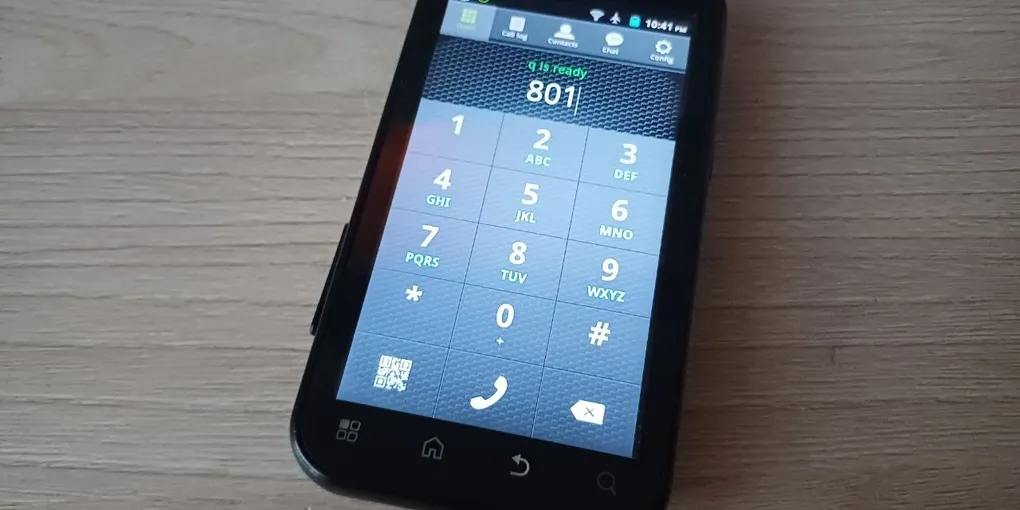
If you’re interested, you can watch this short video showcasing the IVR in action — placing a call from a Motorola MB525 and pressing through the menu. (By the way, if you’re curious about that phone specifically, check out this blog post about how I got AI running on it.)
Overall, this was a fun project that posed an immense challenge, but brought a lot of satisfaction from seeing it all run as intended.