Audio Effects with CUDA
After my last CUDA project, I wanted to push the parallel computing angle into a different domain. I chose audio processing, and specifically, one of the most computationally demanding effects in music production: convolution reverb.
The result is CudaAudioFX: a pipeline that takes a dry WAV recording, an impulse response of any real acoustic space, and produces audio that sounds as though it was recorded inside that space. Concert hall, park, cathedral and so on. All done in the frequency domain, all on the GPU.
But firstly, let’s talk about convolutional reverb. What is it?
When sound plays inside a real space, the listener doesn’t hear just the direct sound, they hear hundreds of reflections bouncing off walls, floors, and ceilings. The sum of all those reflections is what we perceive as reverb.
Convolution reverb captures this with a technique called an impulse response (IR). You fire a starter pistol or a sine sweep inside the target space and record the result. That recording encodes how the space responds to sound. Apply it mathematically to any audio signal, and the audio sounds like it was recorded there.
The math is a convolution: multiply every sample of the input against every sample of the IR. For a 30-second recording convolved with a 2-second IR at 44.1kHz, that’s over 2.6 billion multiply-accumulate operations/ That would be really slow on CPU. However, this is embarrasingly parallel algorithm. And so I thought of using CUDA here.
The key insight behind every fast reverb plugin in existence: convolution in the time domain is the same as multiplication in the frequency domain. This is the convolution theorem, and it turns a O(n²) problem into O(n log n).
The approach is called overlap-add. Transform both signals into the frequency domain with an FFT, multiply them element-wise (complex multiplication), then inverse-transform the result. The GPU does all three steps in parallel across thousands of cores using NVIDIA’s cuFFT library.
So far this is our pipeline:
Load WAV + IR → Zero-pad to 2ⁿ → Forward FFT (cuFFT) → Complex multiply → Inverse FFT → Write output
Before convolution, I normalize the IR using L2 energy normalization and apply an exponential decay envelope from its peak. This controls how long the reverb tail rings before fading out. The decay_seconds parameter is exposed directly on the command line.
The IR is what makes convolution reverb sound like a real place rather than a digital effect. Here’s an intuitive way to think about it: if you clapped once in an empty concert hall and recorded the result, every echo, every reflection, every subtle resonance would be captured in that recording. That is the impulse response.
I apply an exponential decay to the IR before convolution so the tail doesn’t ring forever. The math is simple but the result is dramatic — without it, every processed clip sounds like it’s echoing inside a cave with no walls.
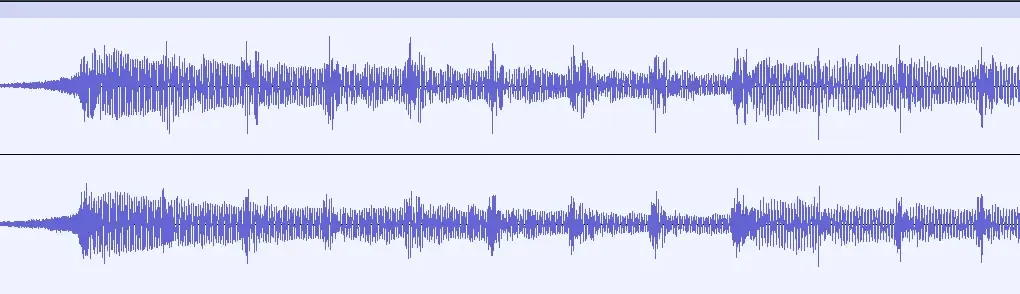
You can listen to these 3 examples and compare results yourself (Cathedral IR):
Once the signal is in the frequency domain, two more effects come for free with minimal extra cost:
Pitch shifting
Pitch is shifted by remapping FFT bins. A pitch_ratio of 2.0 shifts up one octave — each bin’s content gets moved to a new bin at double the frequency index, with linear interpolation between neighbors. Non-integer and non-power-of-two ratios introduce some inharmonic coloring, which I document honestly, since it’s a known trade-off of this approach.
Bandpass filter
An optional filter zeroes out all bins outside a specified frequency range. Want to keep only 200–8000 Hz and discard everything else? It’s one CUDA kernel pass, done while the data is already on the GPU.
You can listen to more examples with different IRs and effects below!
All IRs are sourced from OpenAIR library
Sample soundtrack from Pixabay
This was one of the more rewarding CUDA projects I’ve worked on. Audio gives you immediate, visceral feedback — you can hear whether it’s working. If you’re looking for a concrete project to learn GPU computing, something with measurable, audible output is hard to beat.